User Menu
The user menu provides access to account settings and personal features. To open the menu, click on the profile icon in the upper right corner of the screen.
Personal
The "Personal" section is your personal cabinet on the platform.
My Works
All your generated images are stored here. You can:
- View generation history
- Organize images into folders
- Delete unwanted works
- Make images public or private
Folders
Create folders to organize your works by projects or themes:
- Click "Create Folder"
- Enter a name
- Drag images to the folder or use the context menu
Favorites
Here are all the images you've added to favorites from the public gallery. This is a convenient way to save works from other users that you like for inspiration.
Following
List of users you follow. You can:
- View their new works
- Unfollow a user
- Go to user profile
Followers
List of users who follow you.
Profile
View and edit profile information:
- Username — displayed in the gallery and comments
- Avatar — your profile picture
- Email — used for login and notifications
- Description — tell other users about yourself
Editing Profile
- Open the user menu
- Click the edit icon next to your name
- Make changes
- Save
Settings
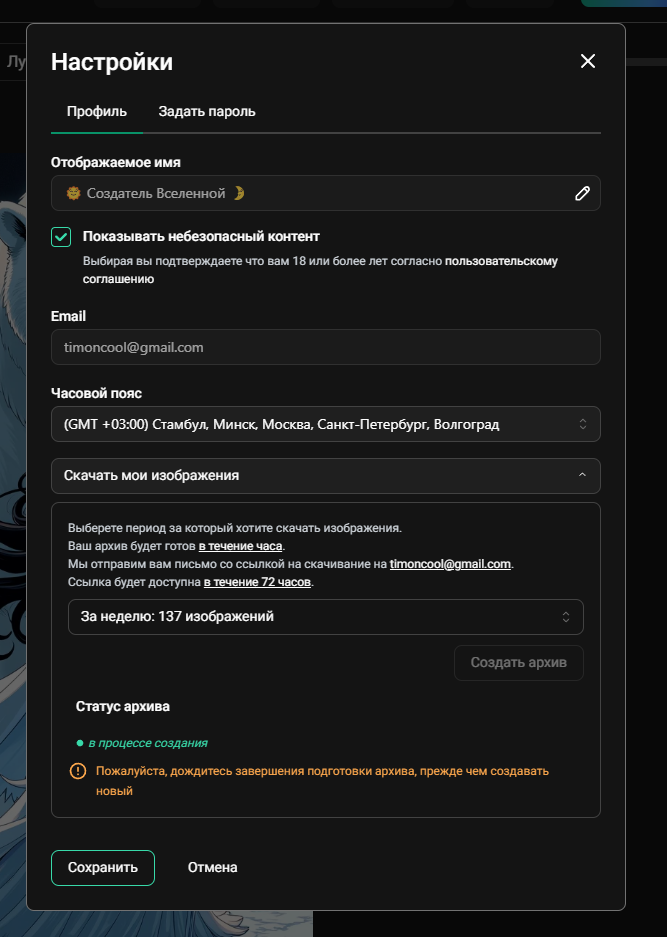
Personal platform settings:
Interface Language
Choose your preferred language:
- Russian
- English
Theme
- Dark — comfortable for eyes in low light
- Light — classic appearance
Notifications
Configure which notifications you want to receive:
- New likes on your works
- New comments
- New followers
- System notifications
Privacy
- Make profile private
- Hide generation history
- Disable comments
Subscription Management
Read more about plans and subscriptions in the Payments & Subscriptions section.
Current Plan
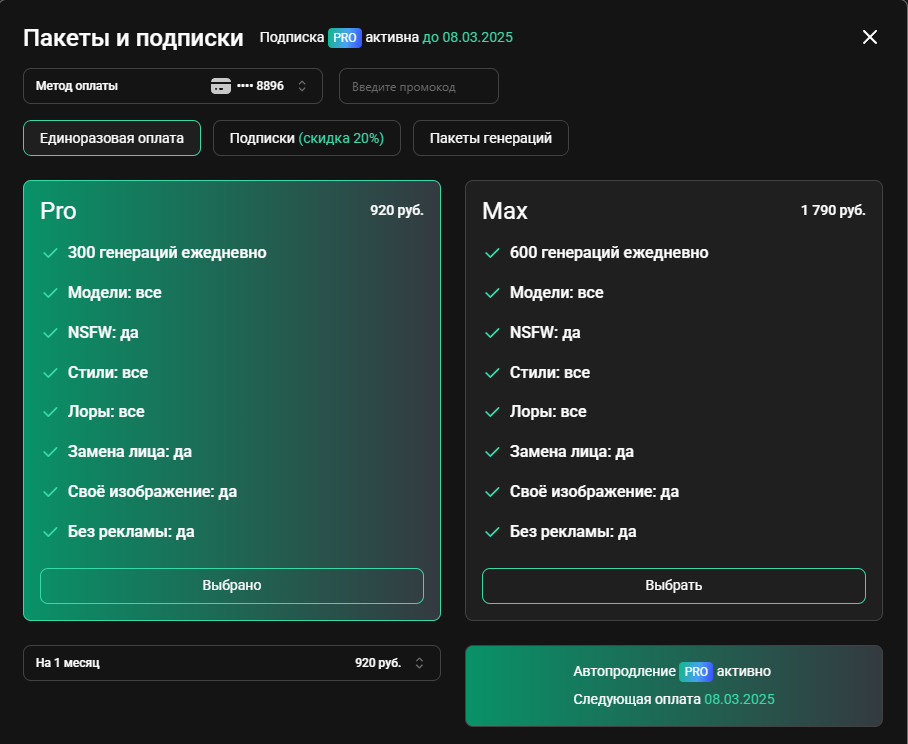
Your current subscription plan is displayed in the menu:
- Plan name (FREE, LIGHT, PRO, MAX)
- Next billing date (for auto-renewal subscriptions)
- Remaining generations
Changing Plans
You can upgrade or downgrade your plan at any time:
- When upgrading, the difference will be charged immediately
- When downgrading, the new plan activates after the current period ends
Canceling Subscription
To cancel your subscription:
- Open the user menu
- Go to the "Subscription" section
- Click "Cancel Subscription"
- Confirm the action
After cancellation, you retain access until the end of the paid period.
Balance and History
Generation Balance
View current balance:
- Number of available generations
- Non-expiring generations (bonus)
- Time until next replenishment
Transaction History
Complete history of your payments and credits:
- Date and time
- Operation type
- Amount
- Status
Bonuses
Referral Program
Invite friends and get bonuses:
- Copy your referral link
- Share with friends
- Get bonus generations for each registered user
Promo Codes
Enter a promo code to receive bonuses:
- Open the "Bonuses" section
- Enter the promo code
- Click "Apply"
Logging Out
To log out of your account, click the "Log Out" button at the bottom of the menu. After logging out, you will be redirected to the main page.
