Main Gallery
The Gallery is the heart of the platform where you can view works by other users, find inspiration, and interact with the community. This is where all public generations are displayed.
Viewing Images
When you open the gallery, you'll see a grid of images generated by platform users. Each image card shows:
- The image itself
- Author's avatar and name
- Number of likes
- Generation date
Full Image View
Click on any image to open it in full view. In this mode you can:
- See the image in high resolution
- View all generation parameters
- Like the image
- Add to favorites
- Leave a comment
- Copy settings to generator
- Report inappropriate content
Interacting with Images
Likes
Show appreciation for works you enjoy by clicking the heart icon. Liked images appear in the author's statistics.
Favorites
Add images to your favorites collection for later reference. Access your favorites from the user menu under "Favorites".
Comments
Leave comments on images to share your thoughts or ask questions about the generation process. Be respectful and constructive.
Copying Parameters
Click the "Copy to Generator" button to instantly load all generation parameters into the generator. This is the fastest way to create similar images!
When viewing an image, you can see and copy:
- Prompt — the text description used
- Negative Prompt — what was excluded
- Model — the AI model used
- Style — applied style modifiers
- Seed — the random seed value
- Resolution — image dimensions
- Performance Mode — quality settings
Categories and Filters
Categories

Images are organized into thematic categories for easy browsing:
- All — all public images
- Fantasy Art — fantasy and magical themes
- Anime — anime and manga style
- Characters — portraits and character designs
- Landscapes — nature and scenery
- Cyberpunk — futuristic and sci-fi
- Space — cosmic and astronomical
- Paintings — traditional art styles
- Pop Art — modern and pop culture
- Cubism — abstract and geometric
- Architecture — buildings and structures
- Interior Design — room and space designs
- Horror — dark and scary themes
- NSFW 18+ — adult content (age-restricted)
Sorting Options
Sort the gallery by:
- New — most recent generations
- Popular — most liked images
- Trending — currently popular
- Random — discover random works
Filters
Refine your search with filters:
- By Model — filter by generation model
- By Style — filter by applied style
- By Resolution — filter by image size
- By Date — filter by generation date
Personal Gallery
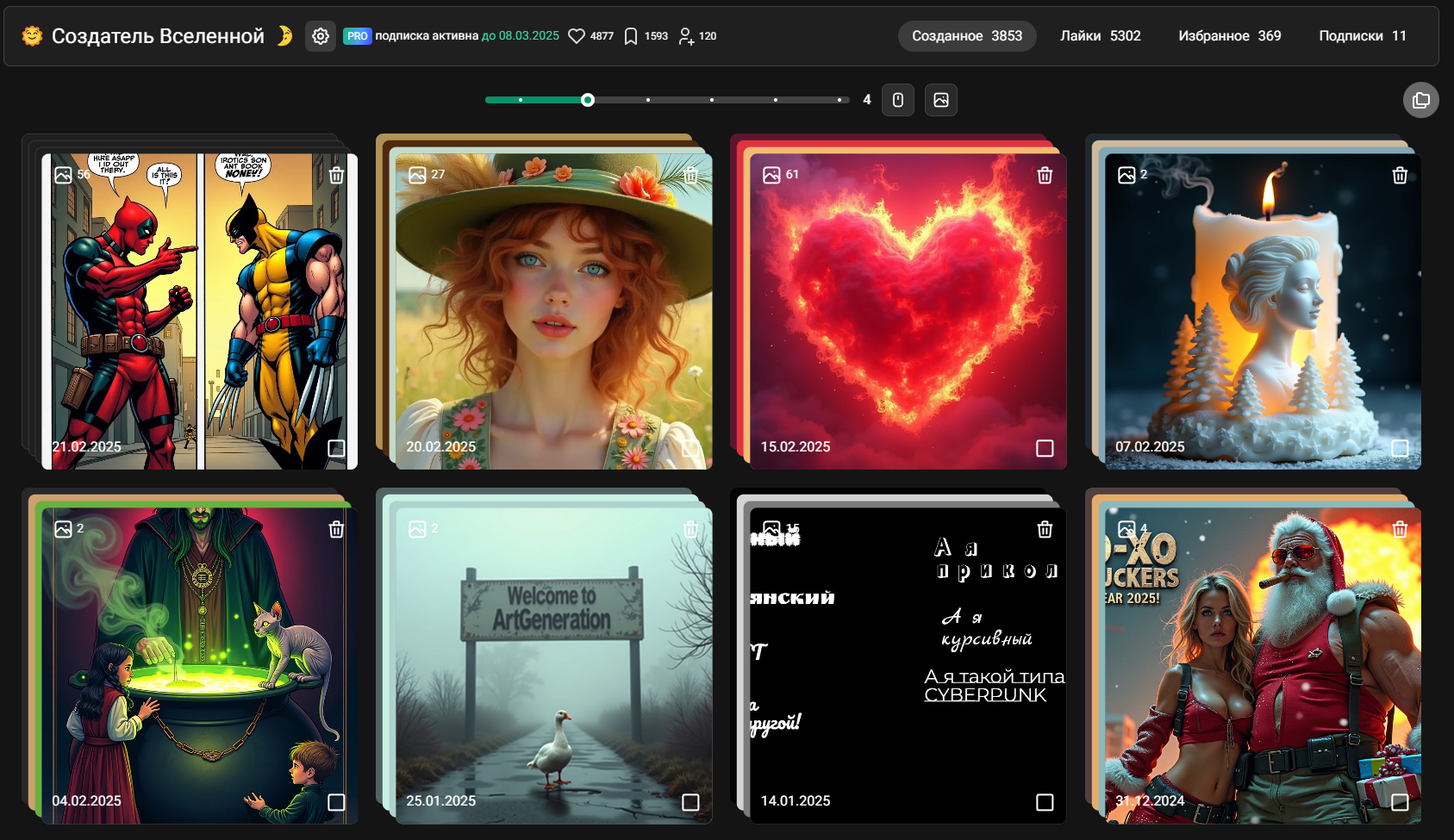
Your personal gallery contains all images you've generated. Access it from the user menu.
Features
- View your generation history
- Organize images into folders
- Make images public or private
- Delete unwanted images
- Download images
Privacy Settings
Control who can see your works:
- Public — visible to everyone in the main gallery
- Private — only visible to you
Social Features
Following Users
Follow your favorite creators to see their new works in your feed. Click the "Follow" button on any user's profile.
User Profiles
Click on any user's avatar to view their profile:
- All their public works
- Follower count
- Following count
- Bio and description
Sharing
Share images on social media or copy the direct link to share with friends.
Tips for Discovery
- Explore categories — find your preferred style
- Check trending — see what's popular now
- Follow creators — build your personalized feed
- Use filters — narrow down to specific styles
- Copy parameters — learn from successful generations
